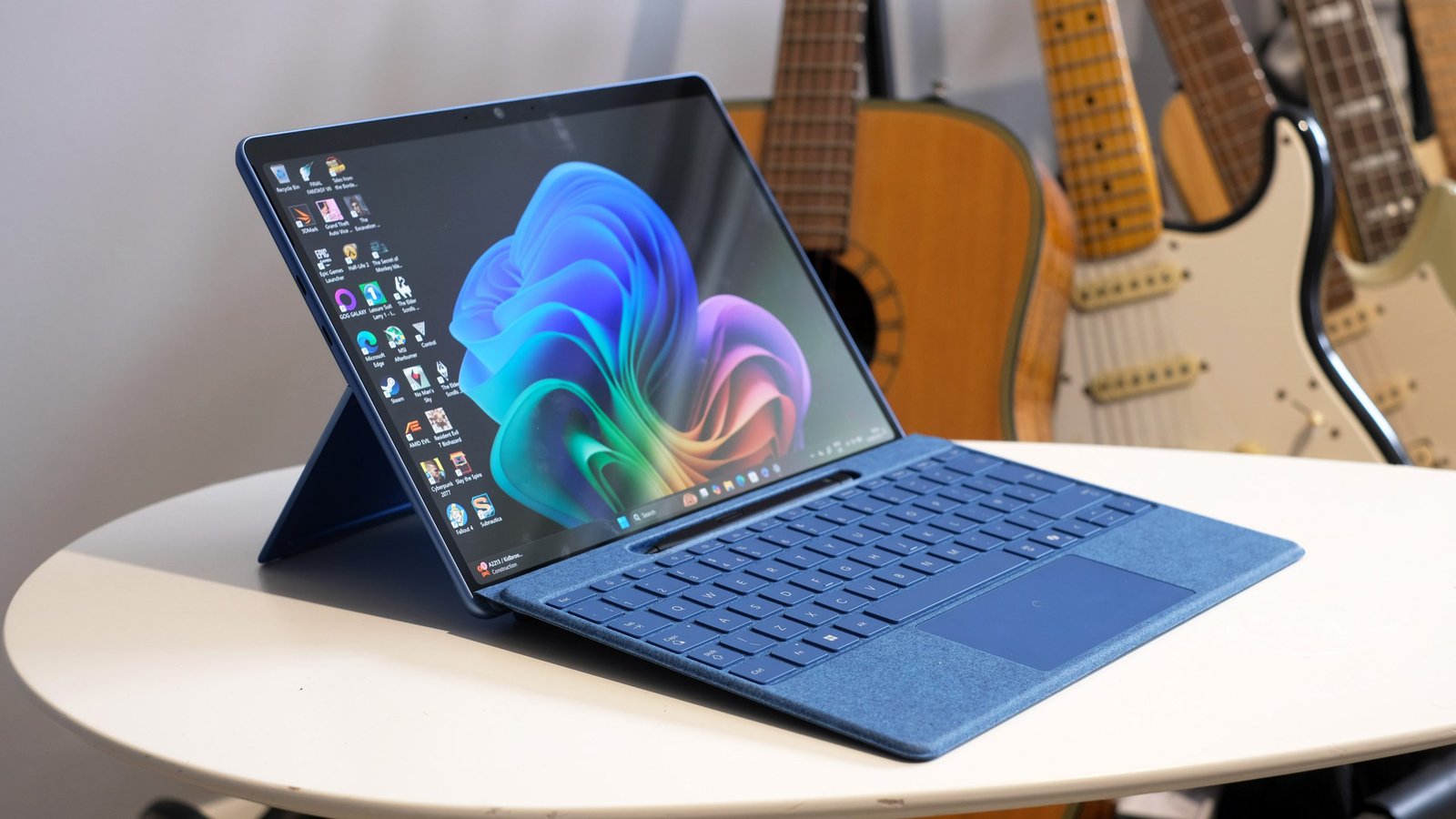
Microsoft Surface Pro 11 Review: The Best Windows Tablet That Is Also a Laptop
The Surface Pro 11 marks a significant shift: Microsoft moved from Intel to Qualcomm’s Snapdragon X Elite chip, bringing ARM processing and its battery efficiency benefits to the most versatile device in its lineup. I used the Surface Pro 11 as my only computer for two weeks – no separate laptop – to find out whether a tablet-first device handles real work. The answer is mostly yes, with meaningful caveats.
Design and Build
The Surface Pro 11 is unmistakably a Surface: kickstand, slim bezels, rounded corners, and the proprietary Surface Connect charging port alongside USB 4. At 879g without the keyboard and 1.28kg with the Signature Keyboard attached, it is lighter than most laptops. The kickstand adjusts from 22° to 170° – virtually any angle – and holds firm without wobble at any position. Platinum and black finishes both look premium. The build quality has no soft spots; the whole device feels machined rather than assembled.
Specs at a Glance
| Specification | Details |
|---|---|
| Processor | Snapdragon X Elite X1E-80-100 |
| RAM | 16GB / 32GB / 64GB |
| Storage | 256GB – 1TB SSD |
| Display | 13-inch OLED, 2880×1920, 120Hz, touchscreen |
| Battery | 53Wh |
| Battery life (rated) | Up to 14 hours |
| Weight | 879g (tablet only) |
| Starting price | $1,499 (keyboard sold separately: $179) |
Display
The OLED 2880×1920 display at 120Hz is the best display Microsoft has ever put in a Surface. True blacks, accurate colors in DCI-P3, and 600 nits peak brightness for HDR content make it excellent for content creation and consumption. The 3:2 aspect ratio is ideal for productivity – you see more of a document than a 16:9 screen at the same diagonal size. Touch response is excellent. The display is glass-covered without a matte coating; reflections are manageable indoors but problematic in direct sunlight.
Performance with Snapdragon X Elite
Snapdragon X Elite performance is genuinely impressive. Multi-core CPU benchmarks compete with Intel Core Ultra 7. Single-core performance is strong. Office applications, web browsing, and video calls run smoothly. The GPU handles light creative work and photo editing well. Video export in DaVinci Resolve (ARM-native version) was faster than I expected. Battery life on productivity tasks averaged 11-13 hours – significantly better than Intel-based Windows laptops.
The ARM compatibility caveat: most major applications now have ARM-native or Prism-emulated versions that run well. A small number of older applications and certain enterprise software tools either do not work or run slowly through emulation. Before buying, verify that any specialized software you require has ARM compatibility.
Stylus and Keyboard
The Surface Slim Pen 2 attaches magnetically to the keyboard cover and charges wirelessly there. 4,096 pressure levels and haptic feedback for a pencil-on-paper sensation make handwriting feel natural. The Signature Keyboard attaches magnetically with satisfying precision. Key travel is shallower than a traditional laptop keyboard but acceptable for extended typing. The keyboard trackpad is good by 2-in-1 standards, though it cannot match a traditional laptop for surface area.
Tablet Mode
In tablet mode without the keyboard, the Surface Pro 11 is a capable Windows tablet. Web browsing, note-taking with the stylus, reading, and media consumption all work well. Windows 11’s touch interface is better than it was in Windows 10, though it still trails iPadOS for pure touch usability. For professionals who primarily annotate documents and occasionally type, the tablet-forward workflow can work.
Is It Worth $1,499 Plus $179 for the Keyboard?
At $1,678 with keyboard, the Surface Pro 11 competes with the MacBook Air M3 and HP Spectre x360 14. The Surface wins if you need a high-quality stylus experience combined with laptop functionality in the thinnest possible form factor. The MacBook Air wins if you prioritize performance and battery life over tablet versatility. The Spectre x360 wins if you want a traditional laptop form that also converts to tablet mode.
Verdict
The Surface Pro 11 is the best version of the Surface Pro concept. Snapdragon performance and battery life resolve the performance concerns of previous ARM-based Surface devices. The OLED display is excellent. Stylus and keyboard remain best-in-class for this form factor. For professionals who annotate documents, give presentations from a portable device, and need a lightweight setup, the Surface Pro 11 is the right tool. Verify ARM software compatibility before purchasing if you rely on specialized applications.