Dell XPS 13 Review: The Ultra-Portable Windows Laptop Benchmark
The Dell XPS 13 has defined premium Windows ultrabooks for years. The 2026 model weighs 1.17kg, runs on Intel Core Ultra 7, and targets anyone who needs Windows in the most portable package possible. I carried it as my only laptop for two weeks. Here is how it performs in daily use.
Design and Build
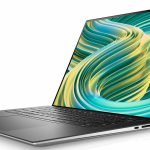
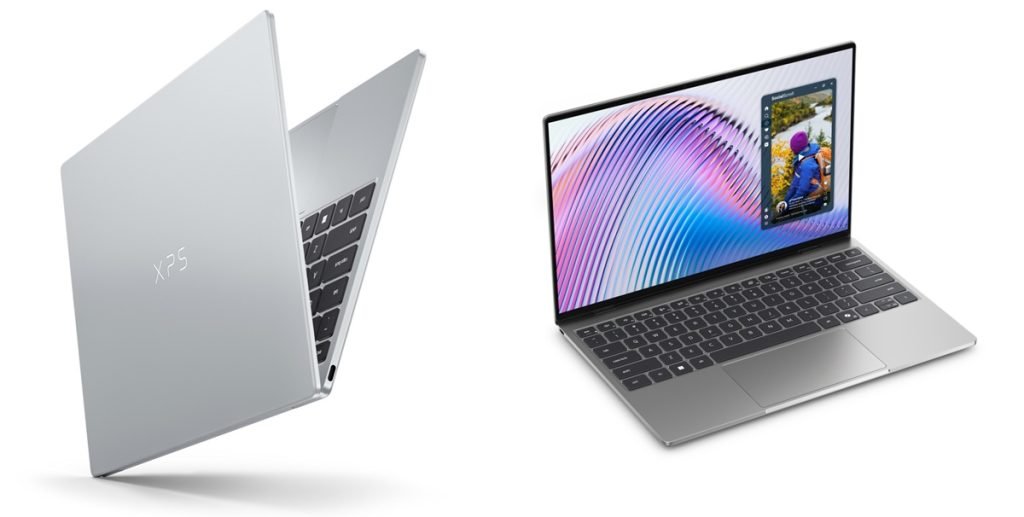
At 1.17kg and 15mm thin, the XPS 13 is one of the lightest premium laptops on any platform. The all-aluminum chassis feels substantial despite the low weight – the lid does not flex, and the keyboard deck stays rigid under typing. Available in Sky and Umber finishes, both look professional. Port selection is minimal: two Thunderbolt 4 / USB 4 ports, one USB-A, and a 3.5mm headphone jack. No SD card reader. The slim profile makes this a two-dongle reality for photographers and video professionals.
Specs at a Glance
| Specification | Details |
|---|---|
| Processor | Intel Core Ultra 7 165U |
| RAM | 16GB / 32GB LPDDR5 |
| Storage | 512GB / 1TB / 2TB NVMe SSD |
| Display | 13.4-inch OLED, 2800×1800, 120Hz |
| Battery | 55Wh |
| Weight | 1.17kg |
| Starting price | $1,299 |
Display
The OLED 2.8K display is beautiful. True blacks, accurate colors, and excellent peak brightness (400 nits SDR, 600 nits peak) deliver a premium viewing experience for a 13-inch screen. Text is sharp at normal viewing distance. The 120Hz refresh keeps scrolling fluid. The glossy panel picks up reflections in bright environments – a common OLED trade-off. For indoor use, the display is one of the best on a Windows ultrabook.
Performance
Intel Core Ultra 7 165U handles office tasks, light development work, and creative applications smoothly. Web browsing, office apps, and video calls produce no perceptible lag. Sustained workloads – long Lightroom exports, extended compilation – cause the fans to spin up to 38dB, which is audible but not aggressive. The chip does not compete with Apple M3 or M4 Pro on performance-per-watt, which is the core trade-off in choosing a Windows ultrabook at this price.
Battery Life
Real-world mixed use delivers 7-9 hours. Video streaming at medium brightness ran 8 hours. Light productivity with Wi-Fi hit 9.5 hours in the best session. The OLED display draws more power than IPS alternatives, which limits battery performance compared to non-OLED Windows ultrabooks. The included 60W USB-C charger fills the 55Wh battery in under 90 minutes. Any USB-C charger at 45W or above works for charging.
Keyboard and Trackpad
The keyboard is comfortable for extended typing with adequate key travel. Backlighting is adjustable. The precision trackpad is good for a Windows machine – accurate, smooth, and multitouch gestures register reliably. Palm rejection is better than most Windows competitors but occasionally triggers accidental inputs during fast typing sessions. Not MacBook-level, but competitive for the category.
XPS 13 vs MacBook Air M3
The most common comparison is with the MacBook Air M3. The Air is faster, has longer battery life (12-14 hours vs 7-9 hours), runs silently (no fans), and costs $1,099 versus $1,299 for a comparable XPS 13 configuration. The XPS 13 wins on Windows software compatibility and the OLED display looks slightly better than the Air’s Liquid Retina panel. For users without a macOS requirement, the Air is the more logical purchase at this price tier.
Read our full MacBook Air M3 review and the Dell XPS 15 review for the full picture across the XPS lineup.
Verdict
The Dell XPS 13 2026 is an excellent Windows ultrabook. The OLED display is genuinely premium. The build quality is top-tier. The portability is unmatched in the Windows ecosystem at this size. Battery life and performance lag behind the MacBook Air M3, which costs less. If Windows is a requirement, the XPS 13 is the right premium ultrabook. If it is not, the Air is a better laptop for most users at a lower price.