What Is Encryption and How Does It Protect Your Data?
Encryption converts readable data into scrambled ciphertext that can only be unscrambled by someone with the correct key. It protects your passwords when stored in a database, your credit card number when you shop online, your messages in WhatsApp, and your files when your laptop is stolen. This explainer covers how encryption actually works and demystifies the specific terms you encounter in everyday tech: HTTPS, AES, end-to-end encryption, and zero-knowledge.
The Basic Concept: Keys and Ciphertext
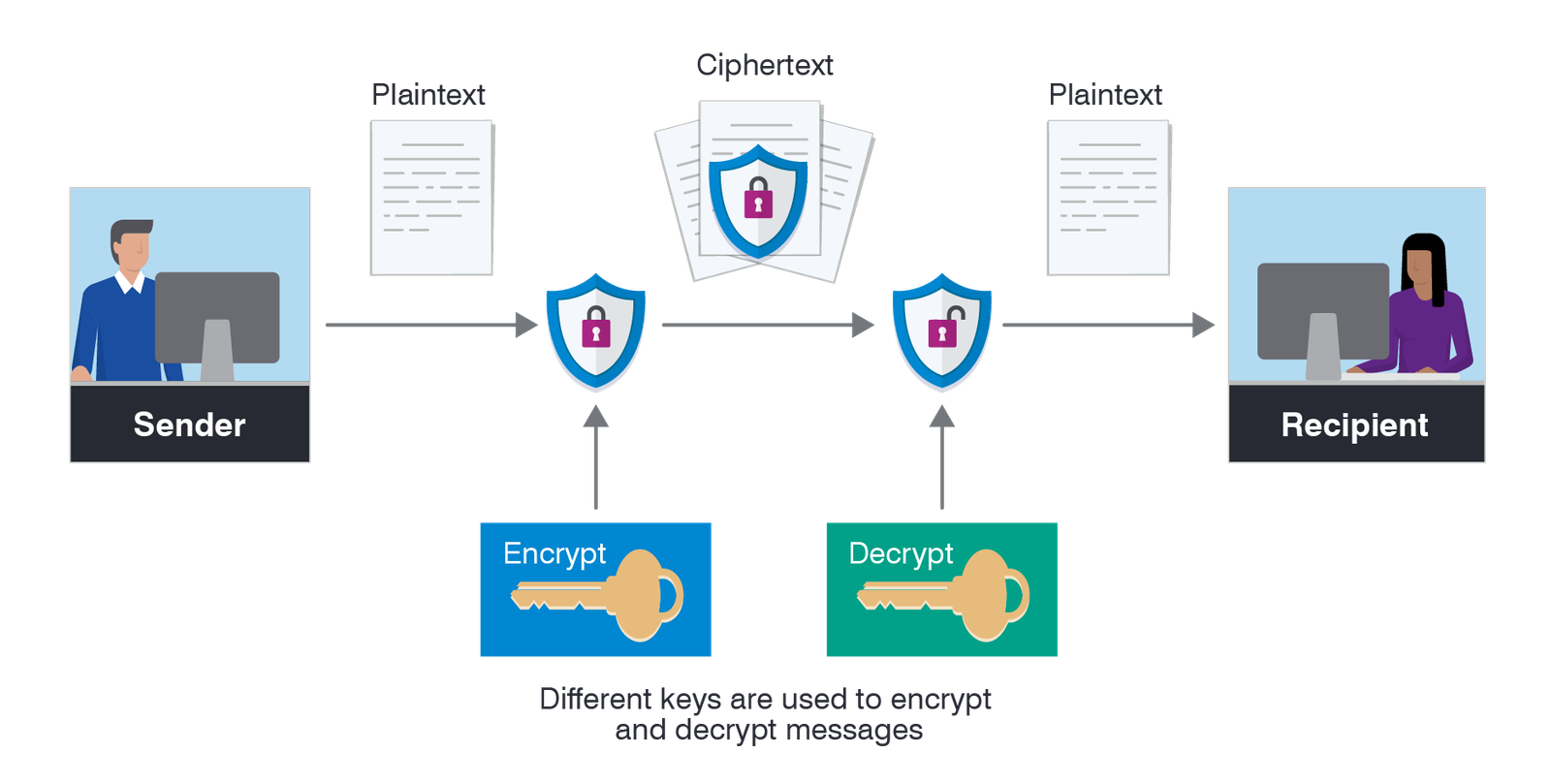
Encryption takes plaintext (readable data) and applies a mathematical algorithm with a key to produce ciphertext (scrambled data). To read the ciphertext, you need both the algorithm and the correct key. Without the key, the ciphertext is computationally impossible to reverse in any practical timeframe.
A simple analogy: a combination lock. The numbers on the dial are the key; the locked state is the ciphertext; the open state is the plaintext. Without knowing the combination, you cannot open the lock quickly. Real encryption is vastly more complex – modern encryption keys are 128 or 256 bits long, which means trying every possible key combination would take longer than the age of the universe even with all the computers on Earth working simultaneously.
Symmetric vs Asymmetric Encryption
Symmetric Encryption (One Key for Both)
Symmetric encryption uses the same key to encrypt and decrypt data. AES (Advanced Encryption Standard) is the dominant symmetric algorithm – AES-256 (using a 256-bit key) is the standard used for disk encryption (BitLocker, FileVault), VPN tunnels, and file encryption. It is fast and extremely secure when implemented correctly. The limitation: both the sender and receiver need the same key, which creates a “key exchange problem” – how do you share the key securely with someone over an insecure channel without an eavesdropper intercepting it?
Asymmetric Encryption (Public and Private Keys)
Asymmetric encryption (also called public key cryptography) solves the key exchange problem using a mathematically linked pair of keys: a public key and a private key. Data encrypted with the public key can only be decrypted with the private key, and vice versa. You share your public key with everyone – post it online, include it in emails – because knowing your public key does not allow anyone to decrypt messages encrypted with it. Only your private key (which you keep secret) can decrypt those messages.
In practice, most secure communications combine both types: asymmetric encryption (RSA or elliptic curve cryptography) is used at the start of a connection to securely exchange a symmetric key, then symmetric encryption (AES) handles the bulk data because it is much faster.
How HTTPS Protects Your Browser Traffic
When you visit a website with HTTPS (the padlock icon in your browser’s address bar), an encrypted connection is established between your browser and the web server using TLS (Transport Layer Security). The process:
- Your browser requests the website’s TLS certificate – a document containing the site’s public key, signed by a trusted Certificate Authority (CA) like DigiCert or Let’s Encrypt.
- Your browser verifies the certificate is legitimate and issued to the correct domain.
- Browser and server perform a “handshake” using asymmetric encryption to agree on a shared session key.
- All subsequent traffic (including your login credentials, payment information, and page content) is encrypted with AES using this session key.
Without HTTPS, anyone on the same network – a coffee shop Wi-Fi, your ISP – could read the plaintext traffic between you and the website. With HTTPS, they see only encrypted data. This is why using public Wi-Fi without a VPN is less risky than it used to be – most traffic is already HTTPS encrypted regardless of whether you have a VPN.
End-to-End Encryption: What It Means for Messaging
End-to-end encryption (E2EE) means messages are encrypted on the sender’s device and only decrypted on the recipient’s device – the service provider in the middle (WhatsApp, Signal, iMessage) cannot read the content even if they wanted to. The encryption keys exist only on the users’ devices, not on the company’s servers.
This is the critical distinction from regular encrypted messaging: many messaging services encrypt data “in transit” (between your device and their servers) but store messages in decrypted form on their servers – meaning the company can read your messages and provide them to governments or law enforcement. E2EE prevents this: the company only sees encrypted blobs that it cannot decrypt.
Apps with genuine end-to-end encryption for all messages: Signal (the gold standard), WhatsApp (uses the Signal protocol), iMessage between Apple devices. Apps without default E2EE: standard SMS, Facebook Messenger (optional E2EE in “secret conversations”), email (standard email is not encrypted without add-ons).
Disk Encryption: Protecting Your Data at Rest
Disk encryption protects data when a device is powered off or the drive is removed – useful if your laptop is stolen. Without disk encryption, someone who steals your laptop can remove the drive and read all your files on another computer without needing your Windows or macOS password.
- BitLocker (Windows 10/11 Pro): Full-disk AES-256 encryption, hardware-accelerated on modern CPUs. Enable in Settings > Privacy & Security > Device Encryption.
- FileVault (macOS): Apple’s disk encryption, enabled by default on Apple Silicon Macs and in System Settings on Intel Macs. Uses AES-XTS mode.
- Android: Encrypted by default since Android 6.0 on most devices with modern storage hardware.
- iPhone: Hardware-encrypted since iPhone 3GS. The encryption key is derived from your passcode – a longer, more complex passcode significantly increases the difficulty of breaking it.
If your devices are encrypted and you use a password manager for strong unique passwords across your accounts, you have addressed the two most common vectors for personal data compromise. For password manager recommendations, see our best password managers guide.