Latency is the delay between cause and effect – between pressing a button and seeing the result on screen, between speaking and the other person hearing you, between clicking a link and the page appearing. Unlike bandwidth (how much data flows per second), latency determines how immediately responsive a system feels. High latency makes games unplayable, video calls awkward, and even typing feel sluggish. This explainer covers the three main types of latency and what actually causes them.
Network Latency (Ping)
Network latency is the time for data to travel from your device to a destination and back, measured as round-trip time (RTT) in milliseconds. “Ping” – the term from online gaming and network diagnostics – measures this round-trip time. A ping of 20 ms means data travels to the game server and back in 20 milliseconds.
What Causes Network Latency
Physical distance: Data travels at roughly 200,000 km/s through fiber optic cable (about two-thirds of the speed of light due to the refractive index of glass). The minimum possible latency to a server 1,000 km away is about 10 ms for the round trip – the actual latency is higher due to routing.
Routing hops: Data passes through multiple routers on its way to a destination. Each router introduces a tiny processing delay (typically 0.1-1 ms), but multiple hops accumulate.
Connection type: Fiber broadband typically delivers 5-15 ms to nearby servers. Cable internet (DOCSIS) adds 10-30 ms. Fixed wireless adds 20-50 ms. Satellite internet (Starlink) is 20-50 ms to low-Earth orbit satellites – dramatically better than older geostationary satellite internet at 600+ ms, but higher than wired connections.
Wireless vs wired: Wi-Fi adds 1-5 ms over a wired Ethernet connection. The wireless radio itself adds minimal latency; the variability (jitter) – where latency fluctuates unpredictably – is more problematic for gaming than the average latency increase.
Network congestion: When more data is queued than the network can forward, packets wait. This buffering adds latency that spikes unpredictably – the cause of lag spikes during peak hours.
How Much Network Latency Matters
Ping Range
Assessment for Gaming
Under 20 ms
Excellent – effectively imperceptible delay
20-50 ms
Good – suitable for competitive gaming
50-100 ms
Acceptable – noticeable in fast-twitch games
100-200 ms
Poor – significant disadvantage in competitive play
Over 200 ms
Unplayable for fast-paced games
For video calls, latency becomes conversationally awkward above about 150 ms RTT – conversations start to sound like satellite phone calls where parties talk over each other because neither can respond naturally to the other’s pauses.
Input Latency
Input latency is the delay between a physical action (pressing a key, clicking a mouse button, touching a screen) and the system registering it. It has nothing to do with network – it is about the hardware and software pipeline between your input device and the CPU.
Sources of input latency:
Mouse polling rate: How often the mouse reports its position to the PC. A 125 Hz polling rate (the old standard) reports every 8 ms. A 1000 Hz gaming mouse reports every 1 ms. 8000 Hz mice report every 0.125 ms. For competitive gaming, 1000 Hz is sufficient; 8000 Hz provides marginal benefit most players cannot perceive.
Keyboard actuation: The time for a switch to electrically register when pressed. Optical switches (0.2 ms) are faster than mechanical switches with contact bounce debounce filtering (1-5 ms) which are faster than membrane keyboards (10-30 ms).
OS input scheduling: Windows and macOS process input on a timer – inputs received between timer ticks wait for the next processing cycle. This adds 0-8 ms of variable latency depending on timing.
Display Latency (Input Lag)
Display latency – often called input lag in monitor reviews – is the delay between the GPU sending a frame and the display showing it on screen. A monitor receives a frame, processes it (scaling, color correction, motion processing), and then emits light. This processing pipeline adds a delay measured in milliseconds.
Most TVs have high input lag (30-100 ms) in their standard picture modes due to heavy image processing. Enabling “Game Mode” on a TV disables most processing and drops input lag to 5-15 ms.
Gaming monitors in their native modes have input lag of 1-5 ms – low enough to be imperceptible.
Response time (how fast a pixel changes color) and input lag are different specs – response time affects motion clarity; input lag affects how quickly your action appears on screen.
Total System Latency: Everything Adds Up
In an online game, the total latency you experience is the sum of all these delays: input device latency + OS processing + GPU render time + display response + network round-trip. A typical competitive gaming setup might add up to:
Mouse input: 1 ms (1000 Hz polling)
OS processing: 2 ms average
GPU frame render time: 5 ms (at 200 fps)
Monitor display: 2 ms input lag
Network round-trip: 20 ms (good connection)
Total: ~30 ms
Reducing any of these contributes to a more responsive feel. The network component is often the largest for online games and the one most out of your control beyond choosing the right ISP and connecting via Ethernet instead of Wi-Fi. See our home network setup guide for how wired connections reduce both latency and jitter compared to Wi-Fi.
NFC enables Apple Pay, contactless credit cards, transit cards, and device pairing. This explainer covers how NFC works, why it requires physical proximity, and where it is used beyond just payments.
OLED appears in the spec sheets of premium phones, TVs, laptops, and monitors. This explainer covers how OLED actually works, why it produces better blacks, and where LCD still has advantages.
USB-C is a connector shape, not a standard – which is why some USB-C cables charge slowly and others carry video. This explainer covers USB 3.x, Thunderbolt 3, 4, and 5, and how to know what your ports actually support.
CPU spec sheets throw numbers at you – 16 cores, 32 threads, 5.7 GHz boost clock. This explainer translates what those numbers mean for actual performance, when more cores help, and when clock speed matters more.
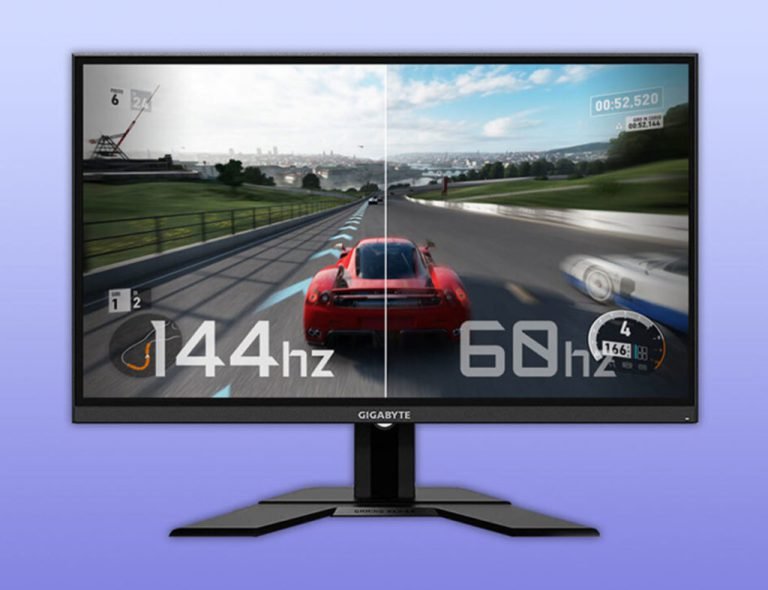
Refresh rate appears in monitor and phone specs as 60Hz, 90Hz, 120Hz, or 144Hz. This explainer covers what it actually means, how it relates to frame rate, and why the jump from 60Hz to 120Hz feels so noticeable in practice.
DDR5 is faster than DDR4 on spec sheets, but the real-world performance difference depends heavily on your CPU and workload. This explainer covers what changed between generations and which one makes sense for a PC build in 2026.