Top 10 Best Laptops for Video Editing of 2026
Video editing demands more from a laptop than almost any other creative task – 4K timeline playback, color grading, and export encoding expose weaknesses that general productivity never reveals. This list prioritizes real-world editing performance in Adobe Premiere Pro, DaVinci Resolve, and Final Cut Pro, along with display quality, thermal management, and portability for editors who work on location.
1. Apple MacBook Pro 16-inch M4 Pro
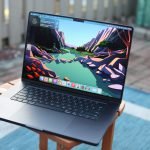
The M4 Pro chip with its 20-core GPU and 24-core Neural Engine delivers desktop-class video editing in a laptop form factor. The 16-inch Liquid Retina XDR display offers 1600 nits peak HDR brightness and P3 wide color gamut. With 24GB unified memory in the base configuration and options up to 128GB, it handles multi-stream 4K and 8K timelines without proxy workflows. Pricing starts at $2,499 for the M4 Pro configuration.
This is the definitive choice for editors working in Final Cut Pro or DaVinci Resolve on macOS. The fanless operation during moderate workloads and 18-hour battery life make it ideal for field work. The limitation is Adobe Premiere Pro performance – while capable, Premiere cannot leverage the Apple silicon architecture as efficiently as NVIDIA CUDA acceleration on Windows machines.
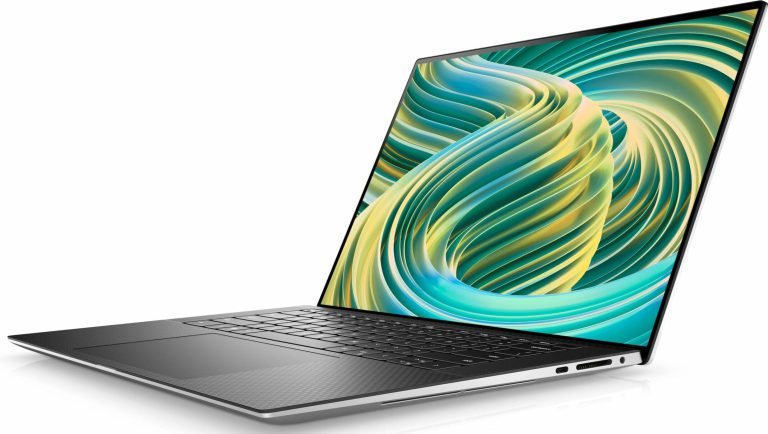
2. Dell XPS 15 (2026) with RTX 4060
Dell’s flagship 15-inch ultrabook pairs a 14th-gen Intel Core Ultra 7 processor with NVIDIA RTX 4060 graphics and up to 64GB DDR5 RAM. The 3.5K OLED display covers 100% DCI-P3 with factory calibration. At 1.86kg, it balances portability with genuine creative horsepower. The aluminum chassis and edge-to-edge keyboard maintain Dell’s premium build quality. Expect to pay $1,899 to $2,599 depending on configuration.
Adobe Premiere Pro users on Windows will find the CUDA acceleration significantly speeds up encoding, effects rendering, and Mercury Playback Engine performance. The primary weakness is thermal throttling during extended exports – the slim chassis limits sustained GPU performance. An external cooling pad helps during lengthy render sessions.
3. ASUS ROG Zephyrus G14 (2026)
The Zephyrus G14 packs an RTX 4070 GPU and AMD Ryzen 9 8945HS processor into a chassis weighing just 1.65kg. The 14-inch 3K OLED panel delivers exceptional color accuracy with 0.2ms response time. Storage options include dual M.2 slots supporting up to 4TB total. The MUX switch allows direct GPU-to-display connection for maximum performance. Pricing ranges from $1,699 to $2,199.
This is the best option for editors who travel frequently but refuse to compromise on GPU performance. The OLED display is better calibrated than most gaming laptops for color-critical grading work. Battery life during editing without AC power runs 3-4 hours – acceptable for portable work but not all-day sessions. The gaming aesthetic may feel out of place in professional client settings.
4. Razer Blade 16 (2026)
Razer’s Blade 16 features an RTX 4080 GPU, Intel Core Ultra 9 processor, and 32GB DDR5 RAM in a 2.2kg CNC aluminum unibody. The 16-inch mini-LED display offers 1000-nit sustained brightness with 240Hz refresh rate and 100% DCI-P3 coverage. Thunderbolt 5 connectivity supports external storage arrays and displays. Vapor chamber cooling manages thermals better than most thin gaming laptops. Pricing starts at $2,999.
The Blade 16 targets editors who need maximum GPU power without a bulky workstation laptop footprint. Export times in Premiere Pro compete with desktop systems. The downside is the premium pricing – you pay significantly more for Razer’s build quality and design compared to similarly specced competitors. Battery life under load is also limited to 2-3 hours.
5. Lenovo ThinkPad P16s Gen 3
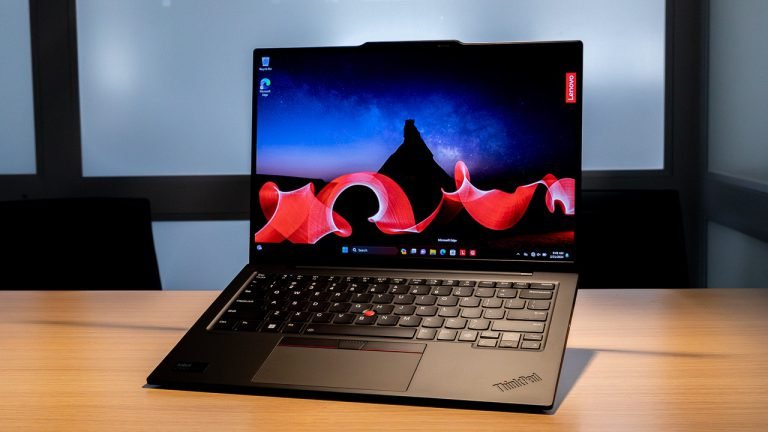
Lenovo’s mobile workstation runs Intel Core Ultra 7 vPro with NVIDIA RTX A500 professional graphics and ISV certification for Adobe Creative Cloud, Autodesk, and Blackmagic applications. The 16-inch 2.5K IPS display is factory calibrated to Delta E under 2 with X-Rite Pantone validation. MIL-STD-810H durability testing and a spill-resistant keyboard add field reliability. Prices start at $1,549.
Video editors working in corporate or broadcast environments where ISV certification matters should prioritize this machine. The professional GPU drivers offer stability advantages over consumer GeForce cards. Performance falls below gaming laptops with RTX 4060 or higher – this is a reliability-first choice rather than a speed champion. The business design also lacks visual appeal for creative studios.
6. ASUS ProArt Studiobook 16 OLED
The ProArt Studiobook combines an RTX 4070 GPU with a 16-inch 4K OLED display featuring 100% DCI-P3, Delta E under 1 calibration, and Pantone validation. The ASUS Dial physical control wheel integrates with Premiere Pro and DaVinci Resolve for jog-shuttle scrubbing and parameter adjustments. Memory expands to 64GB DDR5 with dual SSD slots. Pricing ranges from $2,299 to $2,899.
Colorists and editors who demand reference-grade display accuracy without an external monitor will appreciate the ProArt Studiobook. The physical dial genuinely improves timeline navigation workflow. At 2.4kg, it is heavier than ultrabook alternatives – this is a desktop replacement rather than a travel machine. Fan noise under sustained load is noticeable in quiet environments.
7. Apple MacBook Pro 14-inch M4
The base M4 chip in the smaller MacBook Pro offers 10-core CPU and 10-core GPU performance that handles 4K editing smoothly for less demanding workflows. The 14-inch Liquid Retina XDR display matches the 16-inch model’s color accuracy and HDR capability. Starting at 16GB unified memory with options to 32GB, it suits editors working with standard 4K projects. Pricing begins at $1,999.
Solo editors and content creators who prioritize portability over maximum performance get excellent value here. The smaller footprint and lighter weight – 1.55kg versus 2.14kg for the 16-inch – make a meaningful difference for daily carry. Multi-stream 4K timelines and 8K footage will push the base M4 chip harder than the Pro variant, potentially requiring proxy workflows for complex projects.
8. MSI Creator Z17 HX Studio
MSI’s creator-focused laptop features an RTX 4070 GPU, Intel Core i9-14900HX processor, and up to 64GB DDR5 RAM. The 17-inch QHD+ mini-LED display covers 100% DCI-P3 with True Color calibration. A full-size SD Express card reader speeds up camera media ingestion. The per-key RGB keyboard can be configured for editing software shortcuts. Expect pricing between $2,499 and $3,199.
Editors who want the largest possible screen in a portable form factor should consider the 17-inch panel. The extra screen real estate benefits complex timelines and color grading panels. Weight reaches 2.5kg, and the power brick adds significant bag bulk – this is practical portability rather than ultrabook convenience. Build quality is good but not quite at MacBook or Razer levels.
9. HP ZBook Studio G11
HP’s ZBook Studio pairs Intel Core Ultra 9 with NVIDIA RTX 4070 professional graphics and up to 96GB DDR5 RAM. The 16-inch 4K OLED DreamColor display includes built-in calibration hardware maintaining Delta E under 1 accuracy over time. HP Wolf Security provides enterprise-grade protection. ISV certification covers Adobe, Avid, and Blackmagic software. Pricing starts at $2,799.
Enterprise video teams and broadcast facilities requiring centralized fleet management and professional GPU drivers get a complete package here. The self-calibrating display eliminates regular calibrator maintenance. Consumer editors will find better performance per dollar elsewhere – the ZBook Studio pricing reflects enterprise support, security features, and certification rather than raw speed advantages.
10. Gigabyte AERO 16 OLED (2026)
The AERO 16 delivers RTX 4060 graphics and Intel Core Ultra 7 in a 2.0kg chassis with Samsung 4K OLED display covering 100% DCI-P3. X-Rite Pantone factory calibration ensures out-of-box color accuracy. Microsoft Azure AI integration accelerates certain Premiere Pro functions. Dual Thunderbolt 4 ports support external GPU enclosures for future upgrades. Pricing ranges from $1,799 to $2,299.
Budget-conscious editors who need OLED display quality without flagship pricing get strong value from the AERO 16. The Samsung panel matches more expensive competitors for color work. GPU performance falls behind RTX 4070 machines in export times – expect 15-20% longer renders on complex projects. Build quality is adequate but not premium, with some chassis flex under pressure.
Bottom Line: The MacBook Pro M4 Pro remains the best overall laptop for video editing in 2026, offering unmatched performance per watt and display quality for Final Cut Pro and DaVinci Resolve workflows. Windows editors relying on Adobe Premiere Pro should prioritize NVIDIA RTX graphics – the Dell XPS 15 for portability or the Razer Blade 16 for maximum rendering speed.