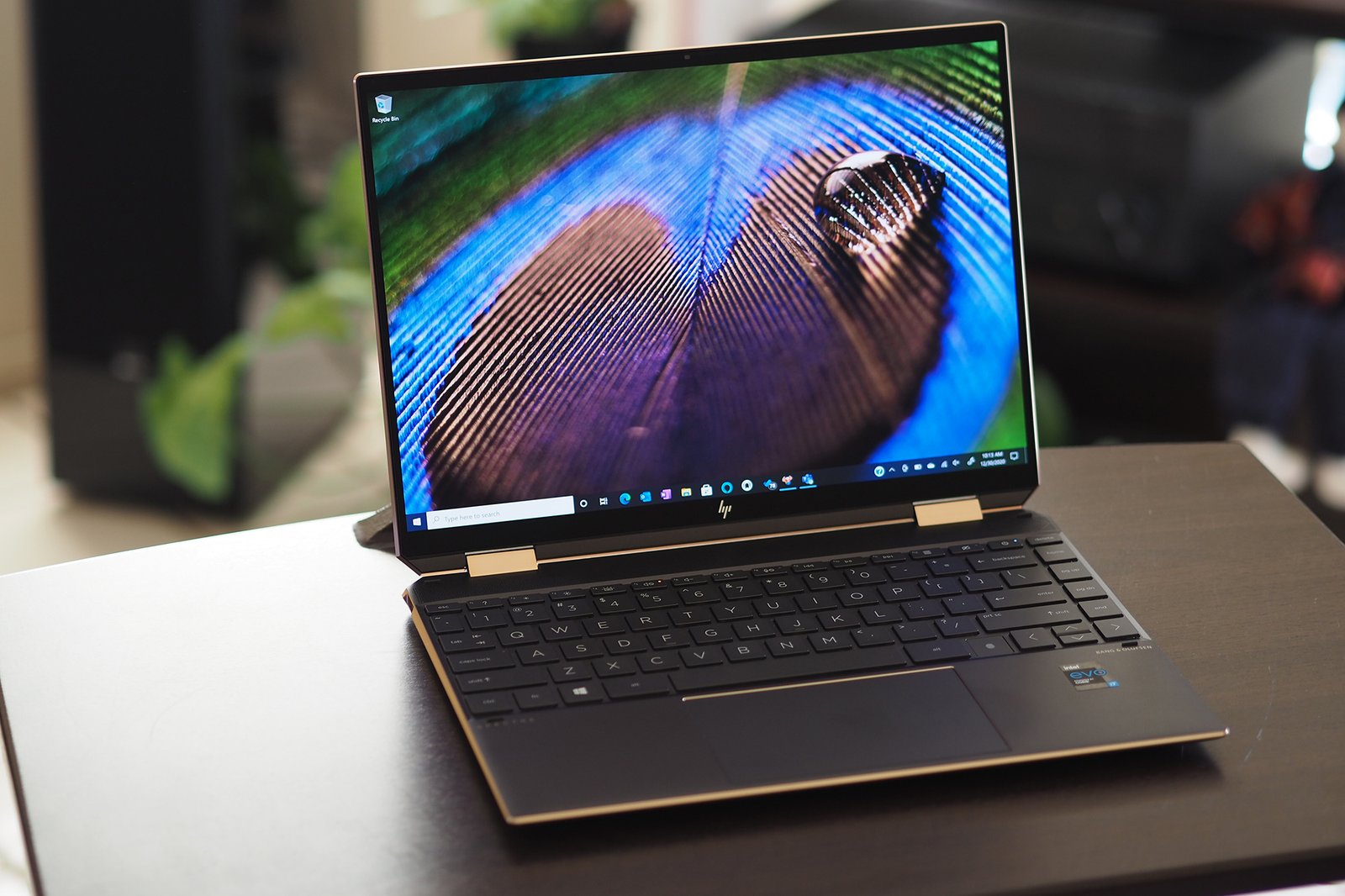
HP Spectre x360 14 Review: The Premium 2-in-1 That Gets Everything Right
The HP Spectre x360 14 sits at the top of HP’s consumer laptop lineup: a 2-in-1 convertible with a premium OLED display, included stylus, Intel Core Ultra processing, and a design that has been refined over multiple generations. At $1,499 it competes with the Dell XPS 13, MacBook Air, and Microsoft Surface Pro for the attention of professionals who want versatility alongside performance. After two weeks of use in laptop and tablet modes, here is whether the convertible form factor justifies the premium.
Design and Hinge
The Spectre x360 14 uses a 360-degree hinge that rotates the display all the way back for tablet mode or stops at any angle for tent or presentation modes. The hinge is firm enough to hold position without wobble and smooth enough to adjust one-handed. The chassis is gem-cut aluminum with chamfered edges – a design detail that makes the sharp corners visually distinctive and comfortable to hold as a tablet. At 1.36kg it is light enough for extended tablet use without arm fatigue.
Specs at a Glance
| Specification | Details |
|---|---|
| Processor | Intel Core Ultra 7 165U |
| RAM | 16GB / 32GB LPDDR5 |
| Storage | 512GB / 1TB / 2TB NVMe SSD |
| Display | 14-inch OLED, 2880×1800, 120Hz, touchscreen |
| Stylus | HP Rechargeable MPP 2.0 Tilt Pen (included) |
| Battery | 66Wh |
| Weight | 1.36kg |
| Starting price | $1,499 |
Display and Touch
The 2.8K OLED touchscreen is the highlight. True blacks, vibrant colors within DCI-P3 gamut, and 120Hz refresh make it exceptional for content consumption and creative work. Touch response is accurate with minimal input lag. In tablet mode, scrolling and pinch-to-zoom feel native. The display is glossy – necessary for touch – which introduces reflections in bright environments. Peak brightness at 400 nits is slightly lower than competing OLED panels; outdoor use in direct sunlight requires shade or angle adjustment.
Stylus Input
The included HP Tilt Pen uses MPP 2.0 protocol with 4,096 pressure levels and tilt recognition. It charges magnetically on the side of the laptop when not in use – a thoughtful integration that keeps it accessible and topped up. Handwriting recognition in Windows 11 is accurate. Drawing and sketching in apps like Clip Studio Paint and Procreate (Windows versions) feel natural with minimal lag. The stylus is not as precise as an Apple Pencil Pro on iPad Pro, but for note-taking and general creativity tasks it performs well.
Performance and Battery
Core Ultra 7 165U handles office productivity, light creative work, and video calls without issue. Sustained workloads spin the fans to audible levels – around 38dB – as expected for this chip class in a thin chassis. Battery life in laptop mode averages 8-10 hours on mixed productivity tasks. Tablet mode with lower screen brightness and lighter workloads extends to 11 hours. The 65W USB-C charger refills in about 90 minutes.
Who Is the Spectre x360 For?
The Spectre x360 14 makes the most sense for: professionals who annotate documents and PDFs regularly, students who take notes by hand and type assignments on the same device, creative users who sketch and need a laptop for everything else, and anyone who gives presentations and uses tent or presentation mode.
It makes less sense for: pure laptop users who never use touch or stylus (the MacBook Air is faster and longer-lasting at a similar price) or gamers who need discrete GPU power.
For a dedicated non-convertible comparison in this price range, read our Dell XPS 13 review. For the MacBook Air alternative, see our MacBook Air M3 review.
Verdict
The HP Spectre x360 14 is the most polished premium 2-in-1 Windows laptop available. The design is distinctive, the OLED touchscreen is excellent, and the included stylus adds genuine productivity value for the right user. Battery life and performance are competitive within the 2-in-1 category. If you need a convertible laptop and primarily work in Windows, the Spectre x360 14 is the standard to measure others against.