Chromebook Plus Review: Are Chromebooks Finally Good Enough for Real Work?
Chromebooks have always made sense for students, light users, and people whose entire digital life lives in a browser. The Chromebook Plus program – Google’s designation for higher-spec Chromebooks with AI features – raises the ceiling. I used an ASUS Chromebook Plus CX34 for two weeks as my primary device to find out how far Chromebooks have come for working professionals.
What Makes Chromebook Plus Different
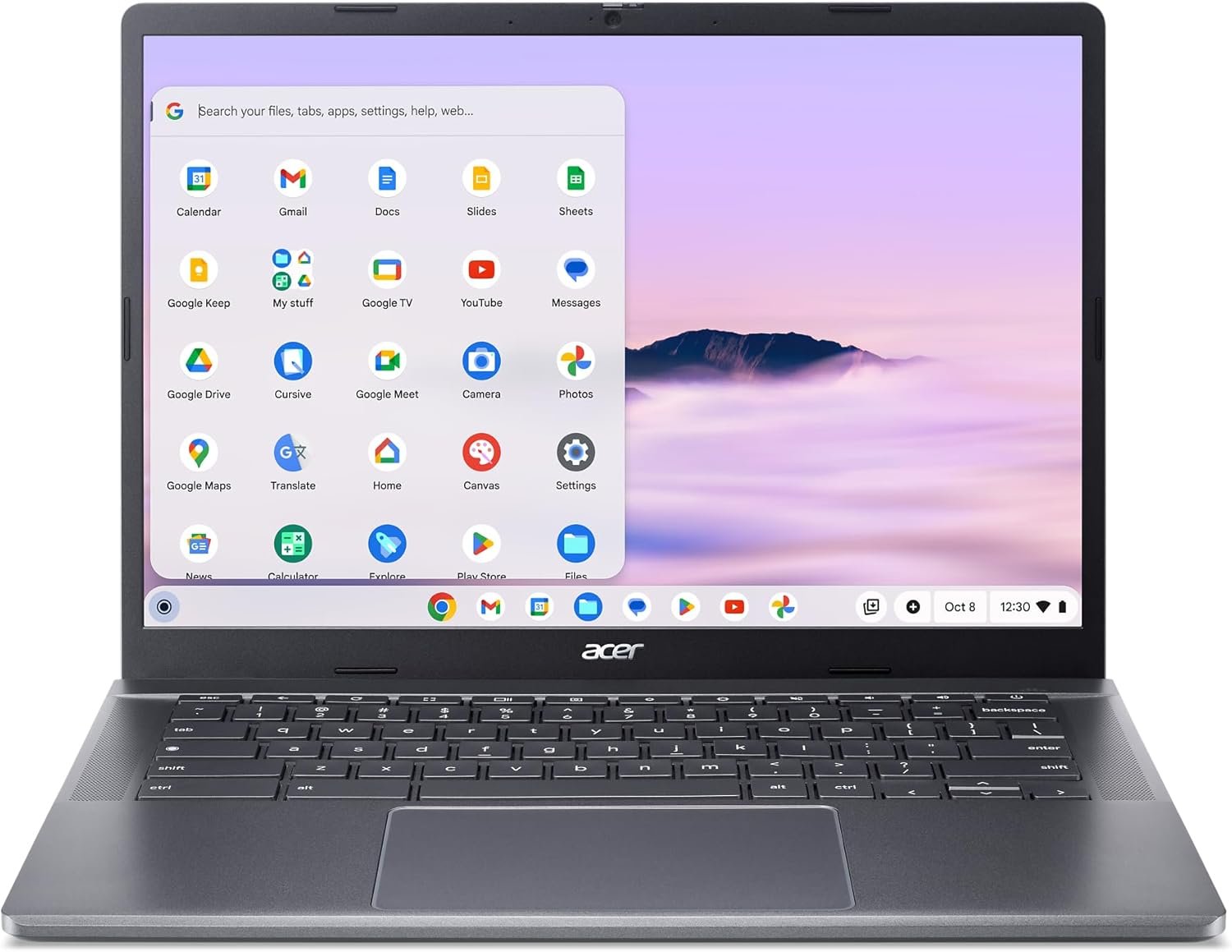
Chromebook Plus devices meet a minimum hardware specification: at least Intel Core i3 12th gen or AMD Ryzen 3 7000 series, 8GB RAM, 128GB storage, 1080p IPS display, and a 1080p webcam. They also include AI features exclusive to the Plus tier: Magic Eraser in Google Photos, AI-generated wallpapers, automatic video call background blur, live call transcription via Gemini, and Help Me Write for AI-assisted text in any Google app. These are Google AI features integrated at the OS level, not app-level.
Specs at a Glance (ASUS CX34)
| Specification | Details |
|---|---|
| Processor | Intel Core i5-1235U |
| RAM | 8GB LPDDR5 |
| Storage | 256GB UFS |
| Display | 14-inch IPS, 1920×1200, 60Hz |
| Battery | 50Wh |
| Battery life (rated) | Up to 10 hours |
| Weight | 1.5kg |
| Price | $399 |
Performance in Daily Use
For Google Workspace users – Docs, Sheets, Slides, Gmail, Meet – the Chromebook Plus is completely capable. Pages load quickly, video calls are smooth with good webcam quality, and multitasking between a dozen browser tabs is handled without slowdown. Android apps run natively from the Google Play Store, which covers most productivity tools: Slack, Notion, Microsoft Office, Adobe Lightroom (with limitations). Linux app support via Crostini lets developers run terminal tools and some Linux-native software.
What You Cannot Do on ChromeOS
Native Windows software does not run. This rules out: Adobe Premiere Pro, Final Cut Pro, many enterprise line-of-business applications, Visual Studio (VS Code Linux works), and most games. If any of these are requirements, ChromeOS is not viable. If your work lives in a browser or Android apps, almost nothing is missing.
The AI Features in Practice
Gemini integration is the most useful new addition. In Google Docs, “Help me write” generates first drafts from a prompt or rewrites selected text. In Gmail, Gemini summarizes long threads and drafts replies. The Live Caption feature transcribes audio from any app in real time – useful for meetings and lectures. Magic Eraser in Google Photos works as well on ChromeOS as on Pixel phones. These are genuinely useful features, not just marketing.
Battery Life
Real-world battery life averaged 8-10 hours on mixed productivity use. Video streaming at medium brightness ran 9 hours. ChromeOS is notably more power-efficient than Windows for browser-heavy workloads. The 65W USB-C charger included refills the battery in about 90 minutes. The USB-C charging standard means virtually any modern charger works.
Who Should Buy a Chromebook Plus
Students: a $399-$549 Chromebook Plus handles all school tasks, costs half as much as comparable Windows laptops, and integrates tightly with Google Classroom. Business users in Google Workspace environments: a Chromebook Plus handles the same tasks as a $1,000 Windows laptop for pure Google Workspace workflows at half the price. Families who need a secondary device: the simple OS and low price make Chromebooks excellent shared family machines.
For Windows alternatives at similar prices, read our best budget laptops under $600 guide. For a MacBook comparison, see the MacBook Air M3 review to understand what more money buys.
Verdict
Chromebook Plus devices are genuinely good laptops for their target audience. At $399-$549, they are the best value option for Google Workspace-centric users and students. The AI features are useful rather than gimmicky. Application compatibility limitations are real – know whether your required software works before purchasing. For users who live in a browser and Google apps, a Chromebook Plus does everything they need at a price that makes traditional laptop budgets feel unnecessary.