Top 10 Best Password Managers of 2026
Password managers solve a fundamental security problem – remembering unique, complex passwords for every online account. This ranking evaluates the leading options based on encryption standards, cross-platform compatibility, ease of use, and overall value. Whether you need a free solution or premium features like dark web monitoring and secure sharing, these ten password managers represent the best choices available in 2026.
1. 1Password
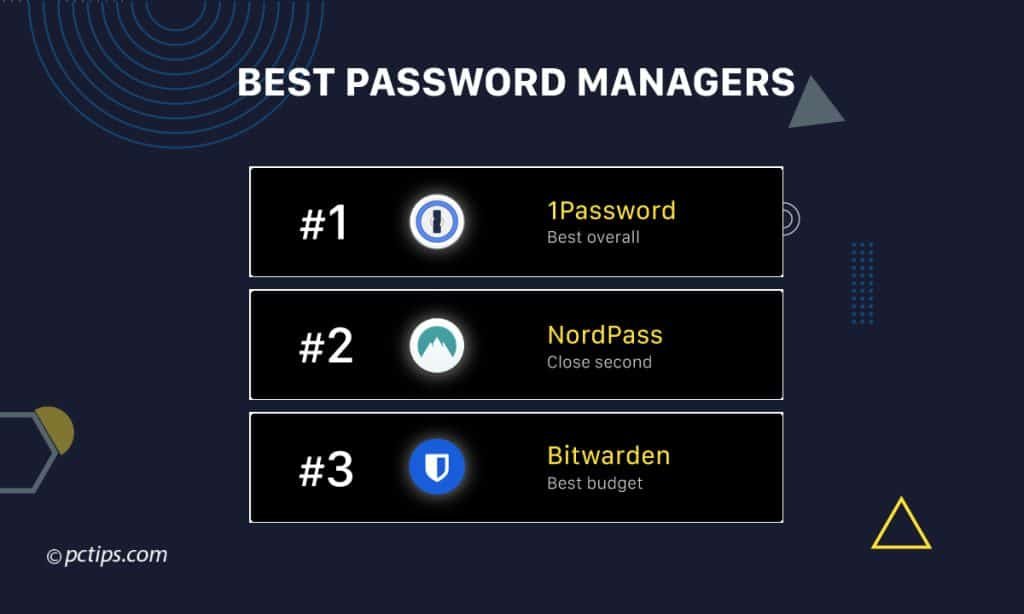
1Password remains the most polished password manager on the market at $3 per month for individuals or $5 per month for families covering up to five users. The Secret Key system adds a 34-character encryption key stored separately from your master password, meaning even a server breach cannot compromise your vault. Travel Mode hides sensitive vaults when crossing international borders, and Watchtower continuously monitors your credentials against known breach databases.
1Password suits users who want premium security without complexity – journalists, business travelers, and families benefit most from its feature set. The only drawback is the lack of a free tier, though the 14-day trial allows full testing before committing.
2. Bitwarden
Bitwarden offers the best free password manager available, with unlimited passwords across unlimited devices at no cost. The open-source codebase undergoes annual third-party security audits, and the premium tier at just $10 per year adds YubiKey support, encrypted file attachments, and emergency access features. Self-hosting options give technically inclined users complete control over their encrypted data.
Budget-conscious users and privacy advocates will find Bitwarden ideal, particularly those comfortable with a slightly less refined interface than premium competitors. The free tier lacks advanced two-factor authentication options, but the core password management functionality is excellent.
3. Dashlane
Dashlane Premium at $33 per year bundles a VPN service alongside comprehensive password management, dark web monitoring, and automatic password changing for supported sites. The security dashboard provides a clear health score for your overall password hygiene, flagging weak, reused, and compromised credentials. Browser extensions and mobile apps sync seamlessly across all major platforms.
Users wanting an all-in-one security suite rather than standalone tools will appreciate Dashlane’s integrated approach. The higher price point compared to Bitwarden may deter budget users, and the VPN is basic compared to dedicated services like NordVPN or ExpressVPN.
4. NordPass
NordPass comes from the team behind NordVPN and costs $24 per year for the premium tier. It uses the XChaCha20 encryption algorithm rather than the more common AES-256, offering strong security with efficient performance on mobile devices. Features include a data breach scanner, password health reports, and secure password sharing with other NordPass users.
NordPass works well for existing NordVPN subscribers who want ecosystem integration and users seeking modern encryption standards. The free version limits you to one device at a time, which significantly reduces its utility compared to Bitwarden’s unlimited free tier.
5. Keeper
Keeper Security offers robust password management starting at $35 per year for individuals, with business plans scaling for enterprise deployment. BreachWatch monitors the dark web for compromised credentials, and the secure file storage option protects sensitive documents alongside passwords. The zero-knowledge architecture ensures Keeper cannot access your encrypted data under any circumstances.
Keeper appeals to business users and those needing secure document storage integrated with password management. Add-on features like BreachWatch and secure file storage increase the total cost, making the fully-featured experience more expensive than competitors.
6. Proton Pass
Proton Pass launched from the makers of ProtonMail and ProtonVPN, emphasizing privacy-first design at $24 per year for the Plus tier. The free version includes unlimited passwords and devices, hide-my-email aliases for creating unique addresses per service, and end-to-end encryption with open-source code. Integration with the broader Proton ecosystem creates a unified privacy platform.
Privacy-focused users already invested in Proton services will find Pass a natural addition to their security setup. The relatively recent launch means fewer advanced features compared to established competitors, though development continues rapidly.
7. RoboForm
RoboForm has operated since 1999 and now costs $24 per year for premium access across unlimited devices. The form-filling capabilities remain industry-leading, automatically completing complex web forms beyond simple login credentials. Security Center analyzes password strength and identifies duplicates, while secure sharing allows controlled access to specific credentials.
Users who frequently complete online forms for applications, registrations, or e-commerce will benefit from RoboForm’s specialized strengths. The interface feels dated compared to newer competitors, and mobile apps lack some features available on desktop.
8. Enpass
Enpass uses a unique pricing model – a one-time purchase of $80 for lifetime access across all platforms, or $24 per year for those preferring subscription pricing. Your encrypted vault syncs through your own cloud storage like iCloud, Dropbox, or Google Drive rather than Enpass servers. The offline-first design means full functionality without internet connectivity.
Users who distrust cloud-based password storage and prefer controlling their sync infrastructure will appreciate Enpass’s approach. The reliance on third-party cloud services adds setup complexity, and features lag behind subscription-based competitors in some areas.
9. Sticky Password
Sticky Password offers lifetime licenses at $40 alongside annual subscriptions at $30 per year, with local Wi-Fi sync as an alternative to cloud synchronization. The portable USB version runs directly from removable drives without installation, useful for accessing passwords on shared or public computers. Biometric authentication supports fingerprint readers on compatible devices.
Frequent travelers and users of shared computers benefit from the portable installation option and Wi-Fi sync for those avoiding cloud storage. The interface and feature set feel less modern than leading competitors, and customer support options are limited.
10. LogMeOnce
LogMeOnce provides a feature-rich free tier including unlimited passwords, passwordless login options, and a security dashboard. Premium plans starting at $30 per year add advanced features like credit monitoring, dark web scanning, and enhanced two-factor authentication methods. The PhotoLogin feature uses your device camera as an authentication factor.
Users who want extensive features without paying will find LogMeOnce’s free tier generous compared to most competitors. The interface can feel cluttered due to the sheer number of features, and some advanced options require navigating complex menus.
Bottom Line: 1Password delivers the best overall experience for users willing to pay for premium security and polish, while Bitwarden offers remarkable value with its unlimited free tier. Choose based on your budget, technical comfort level, and whether you need specialized features like VPN integration or self-hosting capabilities.