Windows 11 vs macOS Sequoia: Which Operating System Should You Use in 2026?
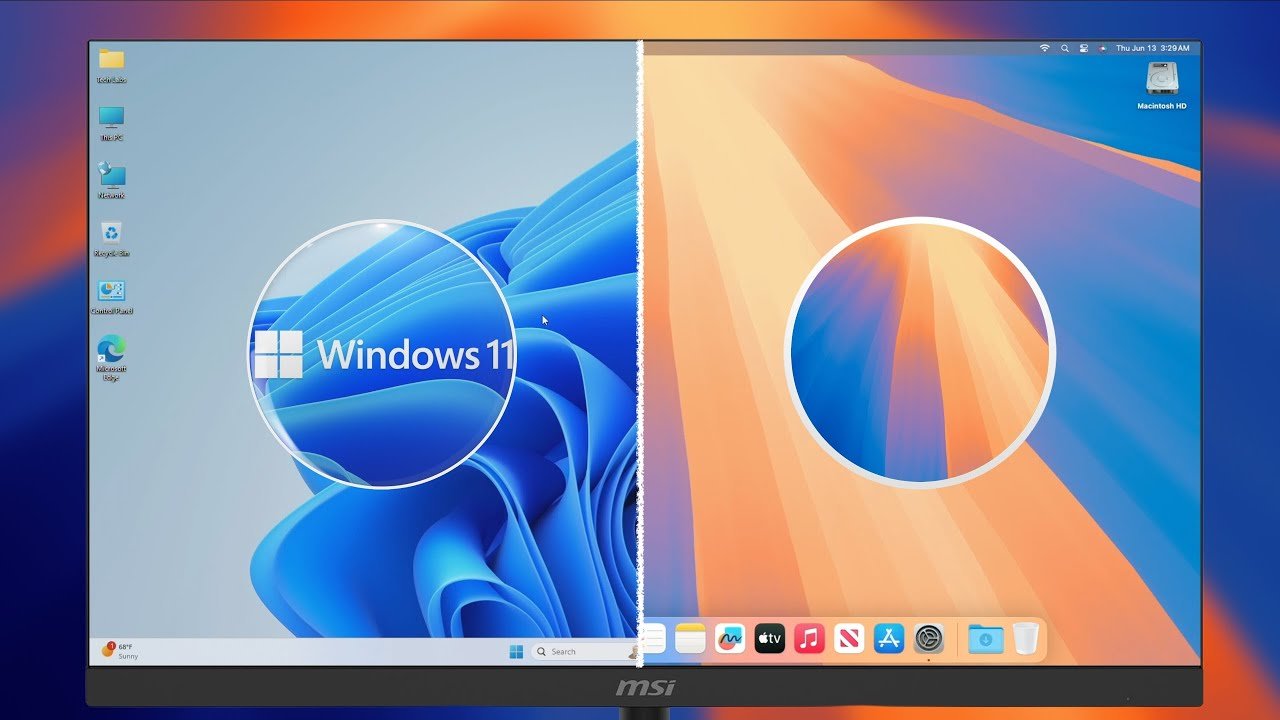
The operating system you use shapes everything about your computing experience: which applications are available, how the interface behaves, what hardware runs it, and what it costs. Windows 11 and macOS Sequoia are both mature, capable operating systems in 2026, each with genuine strengths. Here is a direct comparison across the dimensions that matter most for real users.
Hardware Freedom vs Optimization
Windows 11 runs on hardware from hundreds of manufacturers across a price range from $300 Chromebook-class machines to $5,000 workstations. This choice is Windows’ fundamental advantage – you can find Windows hardware exactly matched to your budget and requirements. macOS runs only on Apple hardware. The trade-off: Apple Silicon Macs offer extraordinary performance-per-watt and tight hardware-software integration. The MacBook Pro M4 Pro outperforms same-price Windows alternatives on sustained CPU workloads and battery life precisely because Apple controls both the chip and the OS.
Software Ecosystem
Windows has the broader software library by any measure. Enterprise line-of-business applications, specialized engineering tools, gaming, and legacy software run on Windows. macOS has better creative application optimization – Final Cut Pro, Logic Pro, and the entire Apple creative suite run only on macOS and are deeply integrated with Apple Silicon. Professional creative workflows increasingly favor macOS. Developers split evenly: macOS for iOS/macOS development and web development with Unix tools; Windows for .NET, enterprise applications, and game development with Windows-specific tools.
Gaming
Windows wins gaming categorically. The vast majority of PC game releases target Windows. DirectX 12 and NVIDIA DLSS run only on Windows. macOS gaming has improved with Metal and Apple Silicon GPU improvements, but the library is a fraction of Windows and performance at comparable hardware cost trails significantly. Gamers should use Windows.
Security
macOS has a historically better security track record, partly due to Apple’s tighter hardware control, Gatekeeper application signing requirements, and a smaller attack surface than Windows. Windows 11 has made significant security improvements: Secure Boot is required, virtualization-based security is on by default, and Microsoft Defender has become a genuinely capable security tool. Neither OS is invulnerable; both require patches and sensible user behavior. The macOS security advantage is real but narrower than it was five years ago.
AI Integration
Both platforms integrated AI features in 2025-2026. Windows Copilot+ PC features (on Snapdragon X and later Intel/AMD AI-capable chips): Recall (search your computing history), Cocreator in Paint, live captions, Studio Effects for video calls. macOS Apple Intelligence: Writing Tools across all apps, Image Playground, Genmoji, notification prioritization, and Siri improvements with ChatGPT integration. Both AI feature sets require recent hardware. Apple Intelligence requires an iPhone 15 Pro or M-series Mac. Copilot+ requires recent AI-capable processors. Apple Intelligence integration feels more polished and system-wide; Copilot+ features are more isolated to specific apps.
The Ecosystem Question
If you use an iPhone, iPad, and Apple Watch, macOS integrates with all of them through Handoff, AirDrop, Universal Clipboard, iPhone Mirroring, and iMessage on desktop. These integrations are seamless in a way that Windows cannot replicate. If you use Android phones, the Windows-Android integration via Phone Link and cross-platform apps provides reasonable but imperfect integration.
Price
Windows is free on new PCs and costs $99-$199 for a standalone license. macOS updates are free for supported hardware. The hardware premium for Mac is real – the MacBook Air M3 at $1,099 is the cheapest Mac laptop; capable Windows laptops start at $400-$500. The total cost of Mac ownership includes this hardware premium.
Who Should Use Each
Use macOS if: you are in the Apple ecosystem (iPhone, iPad), you do professional creative work with Final Cut or Logic, you develop for Apple platforms, or you want the best laptop hardware performance regardless of cost.
Use Windows if: your work requires Windows-specific software, you game seriously, you need hardware flexibility across price points, or you use Android and prefer cross-platform tools.
For software recommendations on each platform, read our guides to the best free software for Windows and the best video editing software.