Top 10 Best Photo Editing Software of 2026
Choosing the right photo editing software depends on your workflow needs, budget, and skill level. This roundup covers professional RAW processors, subscription-based powerhouses, and capable free alternatives. We prioritized software with strong RAW support, non-destructive editing, catalog management, and regular updates for new camera models.
1. Adobe Lightroom Classic
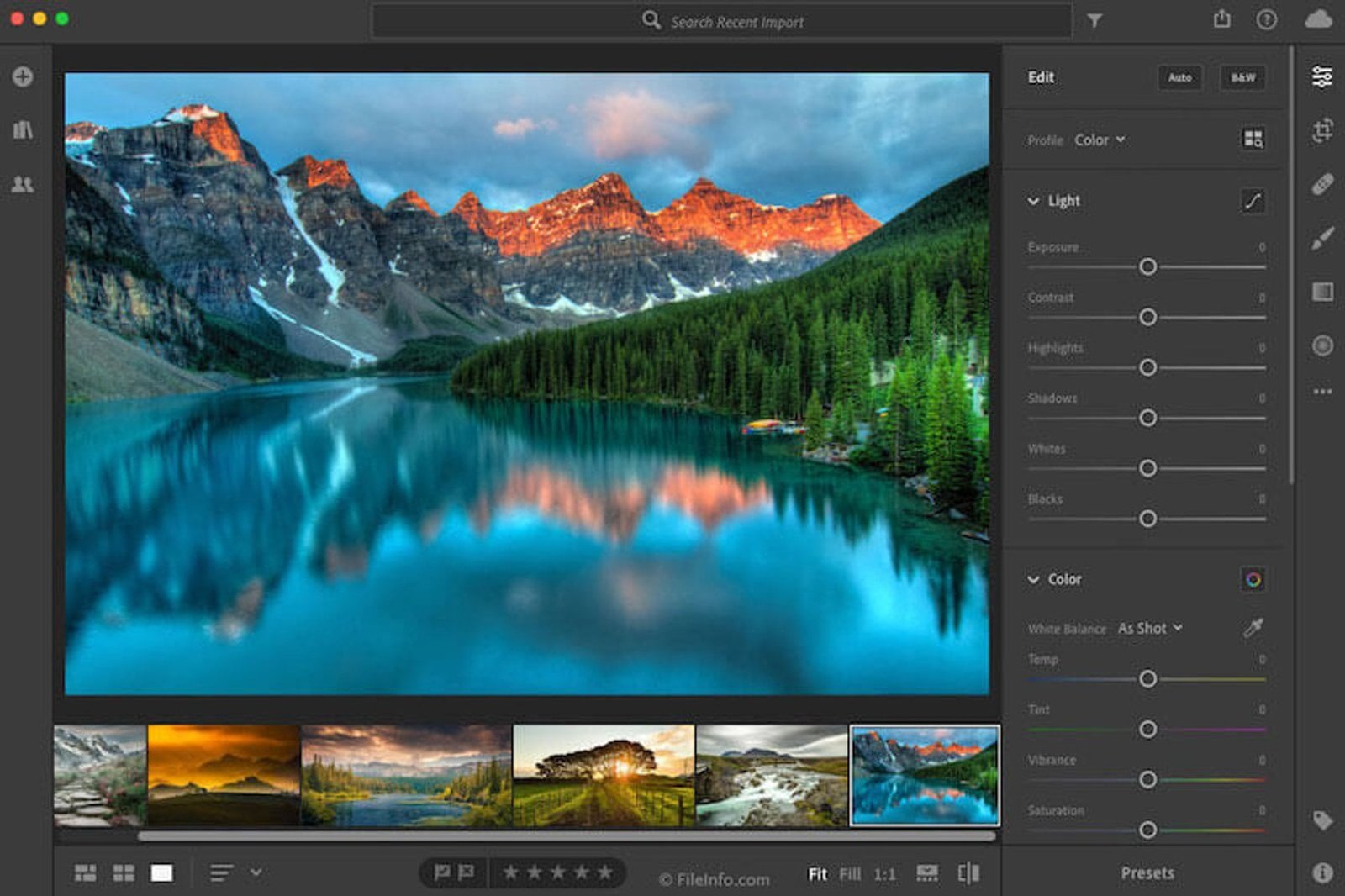
Adobe Lightroom Classic remains the industry standard for photo editing and catalog management at $10.99 per month through the Photography Plan, which also includes Photoshop. The software handles libraries of tens of thousands of images efficiently. AI-powered masking tools for subjects, skies, and backgrounds have matured significantly. New camera support typically arrives within weeks of release, faster than any competitor.
Lightroom Classic suits photographers who need robust organization features alongside powerful RAW processing. The subscription model frustrates users who prefer perpetual licenses, and the software requires a capable computer for smooth performance with large catalogs.
2. Capture One Pro
Capture One Pro costs $24 per month or $299 annually for the full multi-brand version. Professional photographers praise its color science and rendering quality above all competitors. The tethered shooting workflow – connecting cameras directly to computers for live studio review – is the best in the industry. The Color Editor tool provides granular control over specific hue ranges that Lightroom cannot match.
Fashion, food, and product photographers often choose Capture One specifically for color accuracy during client sessions. The learning curve is steeper than Lightroom, and the interface takes time to master. Sony and Fujifilm users can purchase dedicated versions at reduced prices.
3. DxO PhotoLab 8
DxO PhotoLab 8 sells for $229 for the Elite edition as a perpetual license. The software leverages DxO’s optical correction database, automatically fixing lens distortion, chromatic aberration, and vignetting based on your specific camera and lens combination. DeepPRIME XD noise reduction produces remarkably clean high-ISO images, often recovering two or more stops of usable dynamic range.
Photographers shooting in challenging light conditions or using older high-ISO cameras benefit most from PhotoLab’s noise reduction technology. The catalog system is less sophisticated than Lightroom’s, making it better suited as a RAW processor paired with other organization tools.
4. Darktable
Darktable is completely free and open-source, available for Windows, macOS, and Linux. The software offers professional-grade RAW processing with a modular editing pipeline. Features include parametric masking, extensive color grading tools, and a capable library management system. Development remains active with regular updates adding new camera support and features.
Budget-conscious photographers and Linux users find Darktable an excellent Lightroom alternative. The interface follows its own logic rather than mimicking commercial software, requiring patience during the initial learning period. Documentation has improved but remains less comprehensive than paid alternatives.
5. ON1 Photo RAW 2026
ON1 Photo RAW 2026 costs $99.99 as a perpetual license with one year of updates. The software combines RAW processing, photo organization, and effects in a single application. AI-powered tools handle masking, sky replacement, and portrait retouching. The Browse module provides fast catalog-free organization that works directly with folder structures.
Photographers wanting Lightroom-style capabilities without subscriptions appreciate ON1’s business model. Plugin versions work inside Lightroom and Photoshop for those using multiple tools. Performance can lag on older systems, particularly with AI features processing large files.
6. Skylum Luminar Neo
Skylum Luminar Neo uses a subscription model at $9.95 per month or offers perpetual licenses starting at $149. The software emphasizes AI-powered editing with tools for sky replacement, portrait enhancement, and automatic subject detection. The interface prioritizes accessibility over technical depth, presenting complex adjustments through simplified sliders.
Photographers seeking quick results with minimal technical knowledge gravitate toward Luminar Neo. The creative sky replacement and atmospheric effects appeal to landscape photographers. Catalog capabilities are limited compared to Lightroom, and professional users may find the AI-first approach lacks fine control.
7. RawTherapee
RawTherapee is free, open-source software with exceptionally powerful RAW processing capabilities. The application provides access to nearly every parameter in the demosaicing and processing pipeline. Color management tools rival paid software. Processing profiles can be saved and batch-applied across shoots.
Technical photographers and those wanting maximum control over RAW conversion appreciate RawTherapee’s depth. The software functions as a dedicated processor without library management – users typically pair it with separate catalog software. The interface is dense with options, creating a steep learning curve for newcomers.
8. Affinity Photo 2
Affinity Photo 2 costs $69.99 as a one-time purchase for desktop versions. While primarily a Photoshop competitor for pixel editing, the software includes capable RAW processing through its Develop persona. Non-destructive adjustment layers, advanced masking, and professional retouching tools round out the feature set. The iPad version at $21.99 offers near-complete feature parity.
Photographers needing both RAW processing and advanced compositing work in a single affordable application choose Affinity Photo. The software lacks catalog management entirely, requiring external organization solutions. It excels as a finishing tool rather than a high-volume workflow application.
9. ACDSee Photo Studio Ultimate 2026
ACDSee Photo Studio Ultimate 2026 is available for $149.99 as a perpetual license or $89 annually through subscription. The software combines fast browsing, digital asset management, and RAW editing. Face detection and keyword tagging help organize large libraries. Layered editing brings Photoshop-style capabilities to the platform.
Windows photographers wanting an all-in-one solution with perpetual licensing options find ACDSee compelling. The software has served as a catalog and browser tool for decades, with editing capabilities growing substantially in recent versions. Mac support is limited to a separate, less feature-rich application.
10. Exposure X8
Exposure X8 from Exposure Software costs $149 as a perpetual license. The application emphasizes film emulation with an extensive library of presets recreating classic analog looks. The catalog-free approach works directly with existing folder structures without importing. Smart Collections and keywords provide organization without database management.
Photographers drawn to film aesthetics and those frustrated by catalog-based workflows appreciate Exposure’s approach. The film emulation presets are more nuanced than typical filter packs. RAW processing capabilities are solid but less comprehensive than Lightroom or Capture One for technical corrections.
Bottom Line: Adobe Lightroom Classic and Capture One Pro remain the professional standards for high-volume photo workflows and color-critical work respectively. Budget-conscious photographers now have genuinely capable alternatives in Darktable, RawTherapee, and perpetual-license options like DxO PhotoLab and ON1 Photo RAW that eliminate ongoing subscription costs.