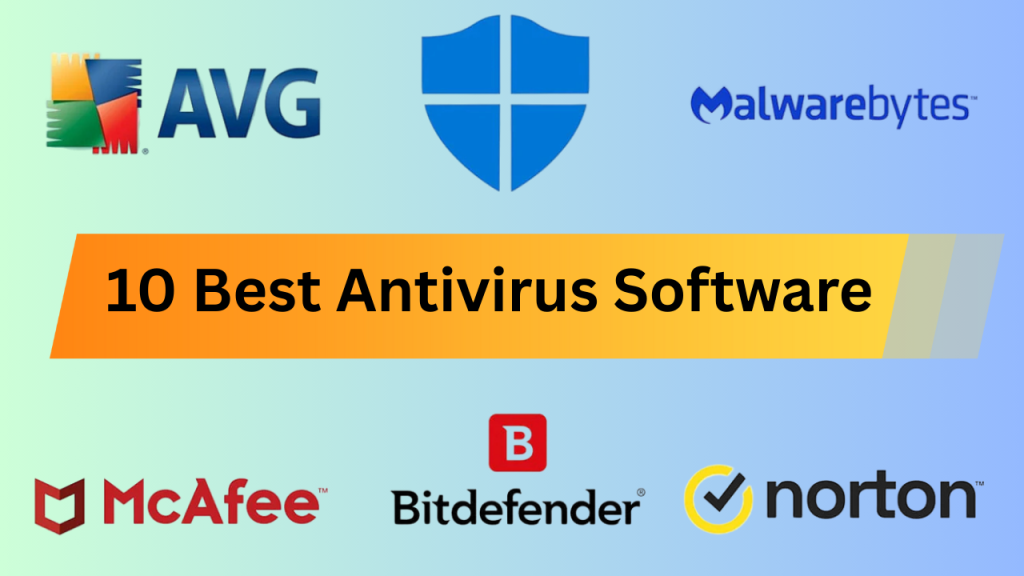
Top 10 Best Antivirus Software of 2026
Selecting the best antivirus software requires evaluating detection rates from independent labs like AV-TEST and AV-Comparatives, system performance impact, and value beyond basic malware scanning. This list includes free built-in options, lightweight scanners, and full security suites to match different user needs and budgets.
1. Microsoft Defender
Microsoft Defender comes pre-installed on Windows 11 and provides real-time malware protection, cloud-based threat analysis, and SmartScreen browser filtering. Independent testing labs consistently rate it at 99.5% or higher detection rates for widespread malware. The cost is free with any Windows license.
Ideal for Windows users who keep their systems updated and practice safe browsing habits. The main limitation is that it lacks cross-platform support for Mac or mobile devices and does not include extras like a VPN or password manager.
2. Bitdefender Total Security
Bitdefender Total Security offers multi-layered ransomware protection, a built-in VPN with 200MB daily limit, password manager, and parental controls. It supports Windows, macOS, iOS, and Android with licenses covering up to 10 devices. Pricing runs approximately $50 to $90 per year depending on promotions.
Best suited for households needing comprehensive protection across multiple devices and operating systems. The bundled VPN has restrictive data caps unless you upgrade to the premium VPN add-on for an additional fee.
3. Norton 360 Deluxe
Norton 360 Deluxe combines antivirus protection with unlimited VPN usage, 50GB cloud backup, dark web monitoring, and a password manager. It covers up to five devices across all major platforms. The standard price is around $50 for the first year, renewing at approximately $120 annually.
A strong choice for users who want identity protection features and unlimited VPN bundled together. The renewal price jump catches many users off guard, and the software can be resource-intensive on older hardware.
4. Malwarebytes Free
Malwarebytes Free specializes in detecting adware, browser hijackers, and potentially unwanted programs that traditional antivirus tools often overlook. It runs on-demand scans without background monitoring and works alongside existing antivirus software. The download and basic scanning functionality cost nothing.
Perfect as a secondary scanner for users experiencing browser redirects, unwanted toolbars, or unexplained system slowdowns. The free version lacks real-time protection, so it catches problems after they occur rather than preventing them.
5. Malwarebytes Premium
Malwarebytes Premium adds real-time protection, exploit mitigation, and ransomware rollback to the free scanning engine. It blocks malicious websites and phishing attempts before they load. Pricing is approximately $44 per year for a single device or $80 for five devices.
Recommended for users who want lightweight protection focused purely on malware without bundled extras like VPNs or password managers. It deliberately avoids feature bloat, which means you need separate tools for other security functions.
6. Kaspersky Standard
Kaspersky Standard provides excellent malware detection rates, phishing protection, and a performance optimization tool. The software consistently scores at the top of independent lab tests for both protection and low system impact. Pricing starts around $30 per year for three devices.
Suitable for users prioritizing pure antivirus performance at a competitive price point. Some government agencies and corporations restrict Kaspersky due to its Russian origins, which may influence purchasing decisions for certain users.
7. ESET NOD32 Antivirus
ESET NOD32 focuses on core antivirus functionality with minimal system resource usage. It includes exploit blocking, cloud-powered scanning, and a gamer mode that suppresses notifications during full-screen applications. The license costs approximately $40 per year for one Windows device.
Ideal for users with older computers or those who want protection without system slowdowns. The interface feels dated compared to competitors, and the product lacks the bundled extras that other suites at similar prices include.
8. Avast One Essential
Avast One Essential is a free antivirus option with real-time protection, basic ransomware shields, and a limited VPN with 5GB weekly data. It works on Windows, Mac, iOS, and Android. The free tier provides solid baseline protection without payment.
A reasonable free alternative for users who want real-time protection but cannot afford paid options. Avast has faced past criticism over data collection practices, though the company has since changed its policies and shut down the data-selling subsidiary.
9. Trend Micro Maximum Security
Trend Micro Maximum Security emphasizes social media privacy scanning, pay guard for online banking, and folder shield ransomware protection. It supports up to five devices on Windows, Mac, iOS, and Android. Pricing typically falls between $40 and $90 per year.
Well-suited for users concerned about social media privacy and online financial transactions. The software can be aggressive with notifications and prompts, which some users find intrusive during regular computer use.
10. Sophos Home Premium
Sophos Home Premium uses the same protection technology deployed in Sophos enterprise products. It includes remote management through a web dashboard, allowing tech-savvy family members to manage protection on relatives’ computers from anywhere. Pricing is approximately $45 per year for up to 10 devices.
Excellent for users who provide tech support to family members and want centralized control over multiple households. The web-based management interface requires internet connectivity, and local settings access is limited compared to other consumer products.
Bottom Line: Microsoft Defender handles basic protection adequately for most Windows users at no additional cost. Paid suites make sense primarily when you need cross-platform coverage, bundled VPN and identity features, or centralized management for multiple devices.