Top 10 Best AI Productivity Apps for iPhone in 2026
AI productivity apps have flooded the App Store, but most are simple ChatGPT wrappers offering little beyond a chat interface. This list focuses on apps that deliver measurable time savings through genuine AI features – intelligent automation, real-time transcription, smart scheduling, and contextual writing assistance. Each app earned its spot based on iOS app quality, practical utility, and value at its price point.
1. Claude (Anthropic)
Claude stands out for long-form writing and complex analytical tasks. The extended thinking feature allows the AI to reason through problems step-by-step before responding, producing more thorough answers for nuanced questions. With a 200,000-token context window, users can paste entire documents for detailed discussion. The free tier supports daily use, while Claude Pro at $20 per month removes usage limits and adds priority access.
Claude is ideal for writers, researchers, and professionals who need help drafting reports, analyzing documents, or working through complex problems. The iOS app features clean conversation threading and reliable file attachment support. The main limitation is that it lacks real-time web browsing in the mobile app, so information is limited to its training data.
2. Reclaim.ai
Reclaim uses AI to automatically schedule tasks, habits, and focus time around your existing calendar commitments. Tell it you need four hours for a project by Thursday, and it finds optimal slots across your week – then automatically reschedules if new meetings appear. The scheduling engine learns your preferences over time, protecting your most productive hours. Pricing starts at $8 per month for the Starter plan.
This app works best for professionals with meeting-heavy calendars who struggle to find uninterrupted work time. Reclaim integrates with Google Calendar and Outlook, syncing seamlessly across devices. The weakness is a learning curve – the app requires two to three weeks of use before its scheduling suggestions become reliably accurate.
3. Otter.ai
Otter provides real-time transcription for meetings, calls, and voice memos directly on iPhone. The AI Summary feature condenses hour-long recordings into concise notes highlighting key points, action items, and decisions. Automatic integration with Zoom, Google Meet, and Microsoft Teams allows Otter to join meetings as a bot and transcribe without manual recording. The free tier includes 600 minutes monthly, with Pro plans starting at $16.99 per month.
Otter suits anyone in frequent meetings who needs accurate records without manual note-taking. The speaker identification feature distinguishes between participants, making transcripts easy to follow. Accuracy drops noticeably with heavy accents, technical jargon, or poor audio quality – users in specialized fields may need to review transcripts carefully.
4. Notion AI
Notion AI adds intelligent writing and search capabilities to the popular workspace app. It can summarize pages, generate content from prompts, extract action items from meeting notes, and answer questions about your entire workspace. The AI understands context from your existing documents, making suggestions relevant to your specific projects. The add-on costs $8 per month on top of any existing Notion subscription.
This tool is essential for existing Notion users who want to unlock more value from their notes and documents. The Q&A feature that searches across your workspace is particularly powerful for teams with extensive documentation. Non-Notion users will find the learning curve steep, and the AI features alone do not justify adopting the platform.
5. Fantastical with AI Scheduling
Fantastical combines a polished calendar interface with AI-powered natural language input and smart scheduling suggestions. Type phrases like “lunch with Sarah next Tuesday at noon” and the app creates the event instantly. The 2026 update added AI scheduling assistance that suggests optimal meeting times based on participant availability and your productivity patterns. Fantastical Premium costs $4.99 per month or $39.99 annually.
Power users who manage multiple calendars across work and personal life benefit most from Fantastical. The widget support and Apple Watch integration are best-in-class for iOS. The premium price may feel steep compared to free calendar apps, and some AI features require all participants to use compatible calendar services.
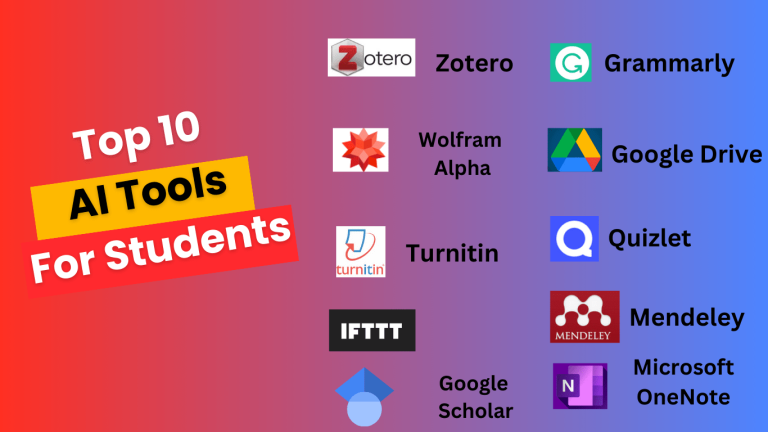
6. Grammarly
Grammarly checks writing across nearly every iOS app through its keyboard extension. Beyond basic grammar and spelling, the AI suggests tone adjustments, clarity improvements, and rewrites for concise communication. The generative AI feature can draft replies, expand bullet points into paragraphs, and adjust formality levels. The free version covers essential corrections, while Premium at $12 per month adds advanced suggestions and tone detection.
Grammarly benefits anyone who writes emails, messages, or documents on their iPhone regularly. The keyboard integration means corrections happen wherever you type without switching apps. The aggressive upselling to Premium can feel intrusive, and suggestions occasionally prioritize corporate blandness over authentic voice.
7. Todoist with AI Assistant
Todoist added an AI Assistant that helps break down projects into actionable tasks, suggests due dates based on task complexity, and reschedules overdue items intelligently. Natural language input lets users type tasks conversationally – “call dentist tomorrow morning” creates the task with the correct date and time. The Pro plan at $4 per month includes AI features, cross-platform sync, and reminders.
Todoist works well for individuals and small teams who need straightforward task management with smart automation. The clean interface avoids feature bloat common in project management tools. Complex project management needs – dependencies, resource allocation, Gantt charts – require more robust software.
8. Speechify
Speechify converts text to natural-sounding speech using AI voices, turning articles, documents, PDFs, and ebooks into audio content. The 2026 voice models sound remarkably human, with appropriate pauses and emphasis. Users can adjust speed from 0.5x to 4.5x, and the app syncs reading position across devices. A limited free tier exists, with Premium at $139 annually unlocking all voices and unlimited listening.
Commuters, multitaskers, and users with reading difficulties gain the most from Speechify. The ability to listen to any text content transforms otherwise lost time into productive reading. The annual price is high compared to alternatives, and some AI voices still stumble over acronyms, numbers, and unusual proper nouns.
9. Perplexity
Perplexity functions as an AI-powered research assistant that answers questions with cited sources. Unlike standard chatbots, every response includes links to source material, allowing users to verify information quickly. The Pro search feature performs deeper research across academic papers, news, and specialized databases. The free tier handles five Pro searches daily, with unlimited access at $20 per month.
Researchers, students, and professionals who need factual answers with verifiable sources should consider Perplexity their default search tool. The iOS app includes voice input and conversation history for follow-up questions. Responses occasionally cite low-quality sources, requiring users to check references rather than accepting answers blindly.
10. Spark Mail with AI
Spark uses AI to prioritize inbox messages, draft replies, and summarize email threads. The Smart Inbox automatically categorizes mail into personal, notifications, and newsletters, surfacing important messages first. AI-generated reply suggestions adapt to your writing style over time, and thread summaries condense lengthy conversations into key points. The Premium plan costs $4.99 per month per user.
Email-heavy professionals who receive dozens of messages daily will appreciate Spark’s intelligent sorting and quick reply features. The shared inbox and team collaboration tools add value for small businesses. Privacy-conscious users should note that AI features require server-side processing of email content.
Bottom Line: The best AI productivity apps for iPhone in 2026 solve specific problems rather than promising to transform everything at once. Start with one or two apps that address your biggest time drains – whether that is meeting notes, calendar management, or writing assistance – and expand from there as you discover genuine productivity gains.